
Introduction: The Gateway to your Dream Government Job
The Staff Selection Commission Combined Higher Secondary Level (SSC CHSL) examination is one of the most competitive exams in India. While clearing the Tier-I computer-based examination is a massive hurdle, many aspirants underestimate the final and most crucial hurdle: the Skill Test or Typing Test. This test is qualifying in nature, yet it is where hundreds of candidates lose their dream jobs every year due to lack of preparation or nervous errors.
Success in the SSC CHSL typing test is not just about moving your fingers fast; it is about precision, rhythm, and mental composure. At MyEntrance.in, we provide specialized mock tests and guidance to help you navigate these challenges. In this comprehensive guide, we will break down the latest pattern, speed requirements, and provide you with actionable drills to ensure you pass with flying colors.
Table of Contents
Understanding the Latest Exam Pattern
Before diving into practice, you must know what the examiners expect. The requirements differ based on the post you have applied for, such as Lower Division Clerk (LDC), Junior Secretariat Assistant (JSA), or Data Entry Operator (DEO).
| Post Category | Language Choice | Required Speed | Key Depressions |
|---|---|---|---|
| LDC / JSA / PA / SA | English | 35 WPM | 10,500 KDPH |
| LDC / JSA / PA / SA | Hindi | 30 WPM | 9,000 KDPH |
| Data Entry Operator (DEO) | English (Mandatory) | Approx 27 WPM | 8,000 KDPH |
| DEO in CAG Office | English (Mandatory) | Approx 50 WPM | 15,000 KDPH |
💡 Pro-Tip: What is KDPH?
KDPH stands for Key Depressions Per Hour. In the SSC exam, 5 characters are typically counted as one word. This means if you type 1750 characters in 10 minutes, you have typed 350 words, achieving a speed of 35 WPM.
Mastering the Touch Typing Technique
Many candidates use the “Hunt and Peck” method—looking at the keyboard and using only two fingers. While this might work for casual chatting, it will fail you in the SSC CHSL exam. You must adopt Touch Typing, where you use all ten fingers without looking at the keys.
The Home Row Mastery
The Home Row (A, S, D, F and J, K, L, 😉 is your base. Your fingers should always return to these keys after pressing any other key. The little bumps on ‘F’ and ‘J’ are there to help you find your position without looking down.
- Left Hand: Pinky on A, Ring finger on S, Middle finger on D, Index finger on F.
- Right Hand: Index finger on J, Middle finger on K, Ring finger on L, Pinky on semicolon (;).
- Thumbs: Use either thumb for the space bar (most people prefer the right thumb).
Posture Matters
Your typing speed is heavily influenced by your physical comfort. Ensure your back is straight, feet are flat on the floor, and elbows are at a 90-degree angle. Position the monitor at eye level so you don’t strain your neck, as you will need to focus strictly on the screen or the provided passage during the test.
Daily Speed Drills for Perfection
Consistency is key. Practicing for 30 minutes every day is better than practicing for 5 hours once a week. Here are specific drills to boost your performance:
1. The Alphabet Drill
Type the sentence: “The quick brown fox jumps over the lazy dog.” This sentence contains every letter of the alphabet. Repeat this 20 times in each practice session to build muscle memory for the entire keyboard.
2. High-Frequency Word Drills
Focus on common words like “the”, “and”, “that”, “for”, “with”. These words make up a large percentage of any English text. Once you can type these subconsciously, your overall speed will jump naturally.
3. The Accuracy First Drill
Slow down your speed to a point where you make zero errors. Slowly increase the speed only when you can maintain 100% accuracy. SSC calculates speed based on “Net WPM,” which penalizes errors. Speed without accuracy is useless.
💡 Pro-Tip: Don’t use the Backspace!
In your initial practice weeks, try to disable the backspace key. This forces your brain to be more careful and precise, significantly reducing error rates in the long run.
Common Mistakes and How to Avoid Them
Even the fastest typists can fail if they succumb to these common pitfalls during the actual exam:
- Looking at the Keyboard: This wastes seconds and leads to lost place in the text. Practice looking only at the screen or the paper.
- Ignoring the Rhythm: Typing in bursts causes errors. Aim for a steady, rhythmic tap-tap-tap sound.
- Panic After an Error: If you make a mistake, don’t panic. Take a half-second breath and continue. One error is a small penalty; a panic-induced cascade of errors is a failure.
- Using a Laptop Keyboard: The SSC exam uses standard desktop mechanical/membrane keyboards. If you practice only on a flat laptop keyboard, the deep travel of desktop keys will slow you down on exam day.
How MyEntrance.in Mock Tests Help
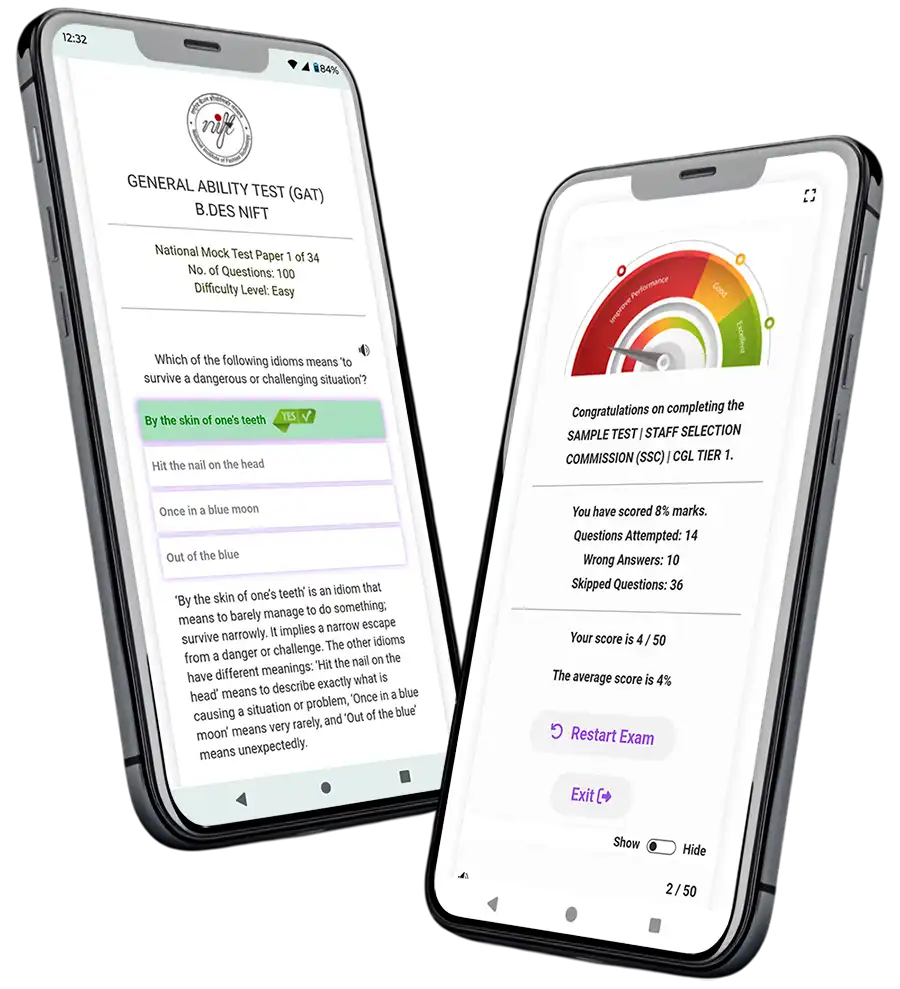
At MyEntrance.in, we understand the pressure of the SSC CHSL Typing Test. We offer a variety of tools designed to simulate the actual exam environment:
- Real-Time Analytics: Get instant feedback on your WPM, accuracy percentage, and key depression count.
- Exam-Style Passages: Our passages are curated to match the difficulty and vocabulary used in actual SSC exams.
- Progress Tracking: Watch your speed grow from 20 WPM to 40+ WPM with our historical performance charts.
- Support for All Exams: Beyond SSC, we offer specialized material for Kerala PSC and NIFT GAT, making us a one-stop destination for aspirants.
By practicing on our platform, you familiarize yourself with the interface, reducing the “fear of the unknown” that often strikes in the examination hall.
Frequently Asked Questions (FAQs)
Is the typing test mandatory for all SSC CHSL posts?
Yes, the Skill Test/Typing Test is mandatory for all posts, though the specific speed requirements vary between DEO and LDC/JSA roles.
Can I choose the keyboard layout for the Hindi typing test?
Yes, candidates for the Hindi typing test can usually choose between layouts like Remington (Krutidev) and InScript.
How are errors calculated in the SSC typing test?
SSC classifies errors into ‘Full Mistakes’ (omission of word, substitution, addition) and ‘Half Mistakes’ (spelling errors, capitalization errors). The final speed is calculated after deducting these mistakes from the gross speed.
Quick Knowledge Check
Test your understanding of the SSC CHSL typing requirements!
1. What is the required English typing speed for LDC/JSA?
💡 Click to Reveal Answer
35 Words Per Minute (WPM).
2. Which row is considered the “Home Row” on a QWERTY keyboard?
💡 Click to Reveal Answer
The middle row starting with A, S, D, F.
3. How many characters are usually counted as one ‘word’ by SSC?
💡 Click to Reveal Answer
5 characters.
Ready to Ace your SSC CHSL Exam?
Don’t leave your selection to chance. Start practicing with the most accurate mock tests today!
💬 Chat with our Experts on WhatsApp (+91 9526806124)