Translate Language
What is the E-Aadhaar App? What’s The Primary Objective?
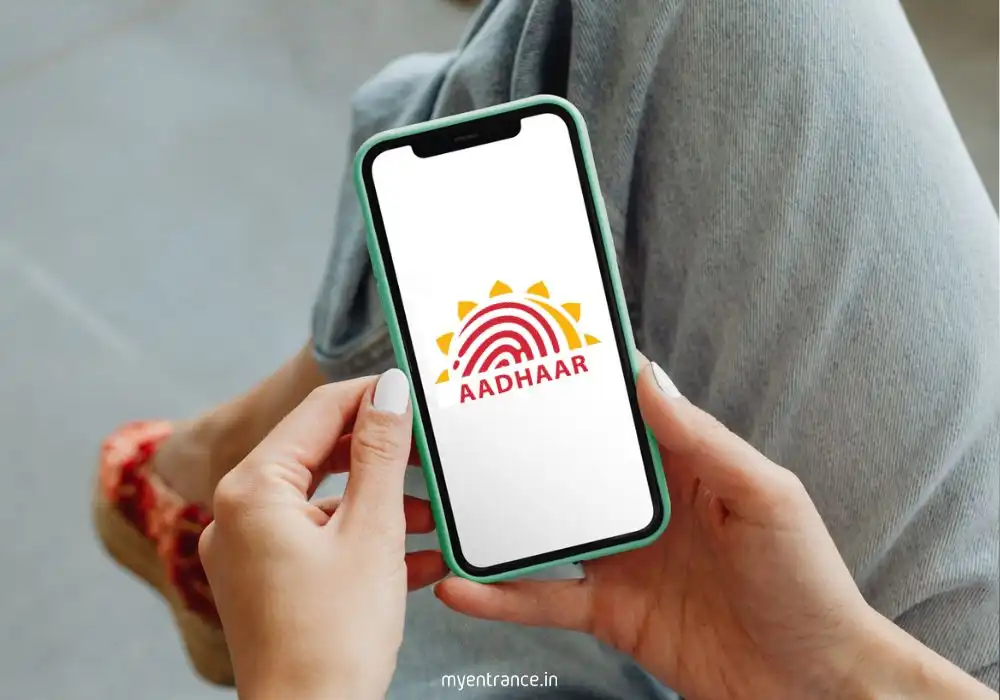
The Government of India is set to launch a groundbreaking mobile application, the E-Aadhaar App, to digitize and simplify Aadhaar-related services. This app will allow citizens to manage their Aadhaar details and perform updates directly from their smartphones, minimizing physical visits to enrolment centres. An early-access version is already available for Android users on the Google Play Store.
What is the E-Aadhaar App? A Complete Overview
Move over long queues and tedious paperwork! The E-Aadhaar App is the government’s latest digital initiative designed to put the power of Aadhaar management right in your pocket. Think of it as a supercharged, next-generation version of your physical Aadhaar card that lives on your phone.
Strengthen your current affairs with our Daily GK Quiz Practice Questions to boost exam confidence.
So, what’s the primary objective of E-Aadhaar App?
The core mission of the E-Aadhaar App is to provide a one-stop, secure, and paperless solution for all Aadhaar-related needs. Its goal is to empower Indian citizens by granting them instant access to their identity information and giving them the tools to update it seamlessly. This digital push aims to enhance convenience, boost security, and accelerate the adoption of digital verification across various government and private services.
Instead of making trips to an Aadhaar Seva Kendra, you can use the app to perform a host of vital functions. This includes updating personal details like your address, date of birth, and mobile number. Furthermore, the app facilitates secure, digital sharing of your Aadhaar details with verified entities whenever required, eliminating the need to carry a physical copy.
A standout feature is its ability to auto-fetch supporting documents from linked government databases. This means your PAN card, passport, driver’s licence, or even utility bills can be pulled directly into the app to speed up verification processes during an update.
For now, an early-access version is available on the Google Play Store. While not all features are fully operational, it offers a glimpse into the app’s potential, allowing users to log in and explore basic services. The official, full-featured launch is anticipated later this year.
Build a strong foundation with our Comprehensive Static GK Guide that covers important topics for all exams.
Key Features to Note:
Self-Service Updates: Easily update your address, date of birth, and contact number without external help.
Digital Sharing: Instantly share a digital, password-protected version of your Aadhaar card for verification.
Biometric Exception: Note that biometric updates (fingerprints/iris) will still require an in-person visit to a centre.
Document Auto-Fetch: The app automatically retrieves validated documents like your PAN, passport, and driving licence to support update requests.
AI & Face Recognition: Leveraging cutting-edge Artificial Intelligence and Face ID technology, the app promises to make verification instant and incredibly secure, reducing processes that took days to mere minutes.
For consistent scoring in exams, refer to this Static General Knowledge Resource curated for aspirants.
Questions and Answers on E-Aadhaar App
1. What is the primary objective of the E-Aadhaar App?
Answer: The primary objective is to provide a one-stop, secure, and paperless digital platform for citizens to access, manage, and update their Aadhaar details directly from their smartphones, reducing dependency on physical centres.
2. Which technology is the E-Aadhaar App reported to use for faster verification?
Answer: The app is reported to use Artificial Intelligence (AI) and Face Recognition technology to expedite and secure the identity verification process.
3. Can biometric details be updated using the E-Aadhaar App?
Answer: No, updating biometric information like fingerprints or iris scans still requires a visit to a physical Aadhaar Seva Kendra.
4. Name any two documents that the E-Aadhaar App can auto-fetch for verification.
Answer: Any two of the following: PAN card, Passport, Driving Licence, or Electricity Bill.
5. Where is the early-access version of the E-Aadhaar App currently available?
Answer: The early-access version is currently available for download on the Google Play Store for Android users.
Why is this Important for Exams?
For aspirants of exams like UPSC, SSC, Kerala PSC, NID, and NIFT, staying updated on such government digital initiatives is not just about general knowledge—it’s a critical part of the syllabus. Questions in prelims and mains often focus on:
Governance and Technology: Schemes like E-Aadhaar are perfect examples of “e-governance” and “Digital India,” common topics in GS papers.
Current Affairs: The launch of new apps and digital infrastructure by the government is frequently asked in current affairs sections.
Social Issues: Understanding how technology is used for inclusive growth and simplifying public service delivery is a key theme.
Being aware of the E-Aadhaar App’s features and objectives demonstrates a well-rounded understanding of how the government is leveraging technology for citizen welfare, giving you a significant edge in your examination.
Read More Topics