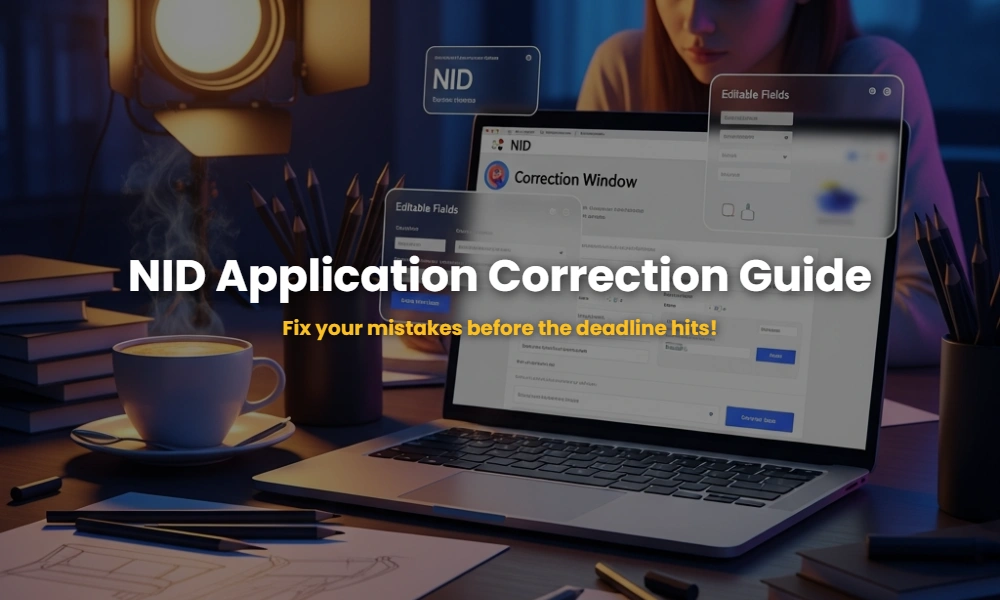
You wake up, grab your coffee, and scroll through your design portfolio. You’ve spent months perfecting your sketches for the NID (National Institute of Design) entrance exam. But have you checked your confirmation page? In the rush of meeting the deadline, most students make tiny, invisible errors. A misspelled street name, a blurry document upload, or a mismatched category—these aren’t just “small mistakes”; they are potential grounds for disqualification. This guide explores the NID application correction window, ensuring your hard work doesn’t go to waste because of a 3 a.m. typo.
The “Hidden” Disaster: Why the NID Correction Window is Your Only Safety Net
Is the NID application correction window a second chance for everyone? The NID DAT (Design Aptitude Test) application correction window is a brief 48-to-72-hour period provided by the National Institute of Design to allow candidates to rectify specific mistakes. While it isn’t an opportunity to change your entire application, it is the only legal way to fix critical data before the admit cards are generated. Missing this window means your errors become permanent.
For most design aspirants, the NID DAT 2025/2026 cycle moves fast. Once the registration closes (typically in early December), the window opens almost immediately. If you’ve uploaded a photograph that doesn’t meet the 80% face coverage rule or entered the wrong exam center, this is your “Red Alert” moment. Understanding the NID exam structure is vital, but ensuring your data is accurate is the first hurdle of the design journey.
The Unforgivable Errors: Fields You Can NEVER Change
What can you actually edit during the NID correction period? You can edit fields like your residential address, exam center preference, and uploaded documents. However, core identity details like your Name, Date of Birth, Program Applied For, and Registered Email/Mobile remain locked to prevent fraud and identity swapping.
The National Institute of Design is extremely strict about “Non-Editable” fields. If you realized you applied for B.Des but wanted M.Des, the correction window will not help you. You would likely need to submit a fresh application (if the portal is still open) or wait for the next cycle.
💡 Secret Insight: The “Category” Clause
While you can change your category (e.g., General to OBC-NCL), you must pay the difference in the application fee. However, if you change from a higher-fee category to a lower one, NID will not refund the balance. Always double-check your documents before making this switch!
The 3-Step “Stealth” Procedure to Rectify Mistakes
How do I access the NID correction portal without crashing it? The procedure involves logging into the official admissions.nid.edu portal during the specific dates. You must verify your identity using your registered email and password before the system allows you to unlock your previously locked application form.
- The Gateway Access: Visit the official website admissions.nid.edu. Do not use third-party links or “registration” mirrors. Log in using your email ID and Date of Birth (or Password).
- The Deep Scan: Navigate to the “Edit Application” tab. Carefully review every section. Even if you think you made no errors, check the document upload quality. Is your signature clear? Is the background of your photo white?
- The Final Commitment: After making changes, click ‘Save and Submit’. If you changed your category, the system will redirect you to the payment gateway. Crucial: Take a fresh printout of the corrected application form. The old version is now invalid.
Once you’ve secured your application, the next step is to focus on your design portfolio preparation to stand out in the Mains round.
🎨 Master the NID DAT with Premium Mock Tests!
Don’t let a technical error be the only thing you fix. Sharpen your design skills and beat the competition with our expert-curated mock tests.
🚀 Take Premium Mock Test NowThe Secret Deadline: When the Correction Portal Closes
When is the last chance to fix NID errors? Historically, the NID correction window opens in early December—typically between December 2 and December 9. It only stays open for 3 to 5 days. For the 2026 cycle, aspirants expect the window to trigger immediately after the late-fee registration closes.
If you miss the deadline, your only recourse is to wait for the NID admit card release and see if the errors prevent you from entering the hall. NID officials rarely allow manual corrections via email once the window is closed, as the system is fully automated. Timing your daily routine to check the official site during this week is non-negotiable.
- ✅ Pro Tip: Set a Google Calendar alert for the first week of December!
- ⚠️ Warning: The portal often slows down in the final hours due to high traffic.
Document Disaster? How to Re-upload for NID Success
What if my NID documents are rejected? Rejections often happen due to incorrect file sizes or poor clarity. During the correction window, you have a golden opportunity to re-upload your photograph, signature, and category certificates (SC/ST/OBC-NCL/EWS/PwD). Failure to provide a valid certificate during this time can result in your application being moved to the General category or outright cancelled.
Official Specification Checklist:
- Photograph: JPEG format, white background, taken after September 1st of the application year.
- Signature: Black ink on white paper, scanned clearly (not a mobile photo).
- Caste Certificates: Must be in the Central Government format, not just State format.
💡 Frequently Asked Questions (FAQs)
Q: Can I change my NID exam center?
A: Yes, the exam center preference is editable during the window.
Q: Is there a fee for editing?
A: General editing is free, but category changes that result in a higher application fee require payment.
Q: What if I misspelled my name?
A: The name field is usually locked. You must contact NID Admissions via their helpdesk immediately, though chances of a change are slim.
Need personalized help with your NID correction or prep?
💬 Chat with our Experts on WhatsApp (+91 9526806124)