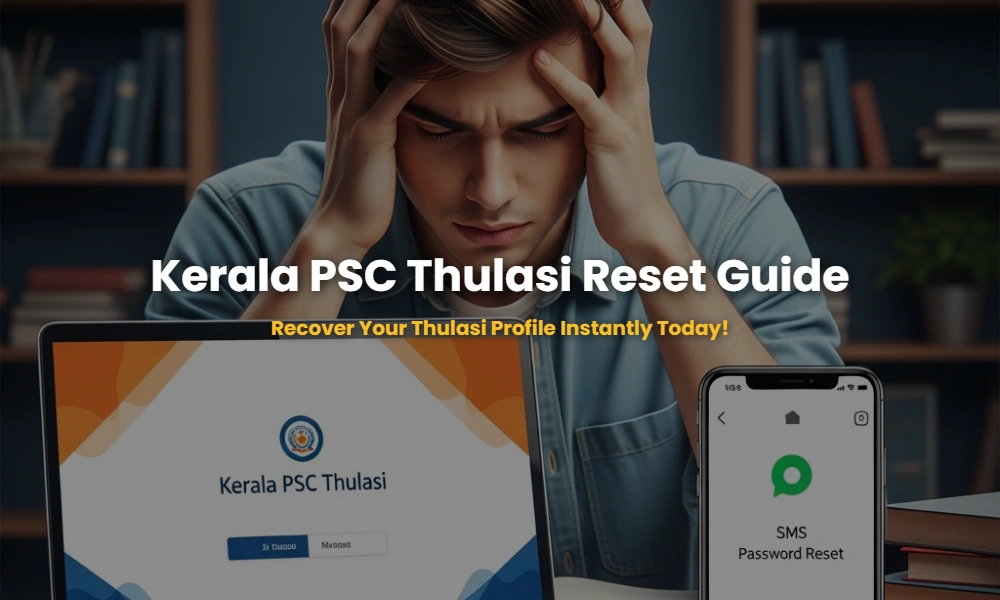
Locked out of your Kerala PSC Thulasi profile just when a major notification dropped? You aren’t alone. Every month, thousands of aspirants face the technical nightmare of forgotten passwords or lost User IDs. In the high-stakes world of Kerala PSC examinations, your Thulasi portal is your digital lifeline—it’s where you apply for jobs, download hall tickets, and check your rank list status. Missing a deadline due to a login error isn’t just an inconvenience; it can cost you years of preparation.
🚀 Key Takeaways for Immediate Action
- Instant Recovery: The fastest way to reset your Kerala PSC password is via the official portal’s ‘Forgot Password’ link using your registered mobile number.
- SMS Method: You can retrieve your User ID by sending a specific SMS code to the Kerala PSC helpline number if you have access to your registered SIM.
- Mobile Number Updates: If you lost your registered mobile number, you must contact the PSC district/regional office with a written request and ID proof.
- Avoid Lockouts: Use a combination of alphanumeric characters and special symbols to ensure your profile stays secure from unauthorized access.
Table of Contents: Navigate Your Recovery
Are You Making These Deadly Mistakes While Resetting Your Kerala PSC Password?
To reset your Kerala PSC Thulasi password, visit the official portal (thulasi.psc.kerala.gov.in), click ‘Forgot Password’, enter your User ID, Date of Birth, and the ID proof number used during registration. A temporary password or reset link will be sent to your registered mobile number instantly.
The Thulasi portal is designed with multiple layers of security. However, many candidates fail because they don’t remember which ID proof (Aadhaar, Voter ID, PAN) they linked years ago. If you find yourself in this loop, check your old Kerala PSC hall tickets as they often list the ID proof used. Security is paramount, and the system will lock you out after five failed attempts, so proceed with caution.
💡 Pro-Tip: The ‘Secret Question’ Shortcut
If you still have access to your profile but want to change your password for security, always update your ‘Secret Question’ first. This acts as a backup if the SMS gateway fails during peak traffic hours.
The Invisible User ID: How to Pull Your Login Name Out of Thin Air?
Retrieve your Kerala PSC User ID by sending an SMS from your registered mobile number. Send KPSC
Forgetting a User ID is more common than forgetting a password because the User ID is often a unique string of characters chosen years ago. If the SMS method fails, you can check your registered email inbox for the original ‘Registration Confirmation’ mail from Kerala PSC. Searching for Kerala PSC notifications in your email history is a great way to find automated alerts that mention your User ID.
The Mobile Number Trap: What to Do If Your Registered SIM is Dead?
If you no longer have access to your registered mobile number, you cannot reset your password online. You must submit a physical request letter along with a self-attested copy of your ID proof to the nearest Kerala PSC District Office or the Head Office in Thiruvananthapuram to update your number.
This is the most time-consuming part of the recovery process. The Commission requires physical verification to prevent identity theft. Once you submit the request, it typically takes 2 to 5 working days for the backend team to update your profile. Only after this update can you use the ‘Forgot Password’ feature successfully. Make sure your one-time registration details are always kept current to avoid this bureaucratic hurdle.
The Secret Codes: Master the SMS Gateway for Instant Recovery!
Kerala PSC offers a robust SMS-based retrieval system. By using specific keywords, you can bypass the website’s heavy traffic. Ensure you send the SMS exactly in the format prescribed, using the mobile number you used during the OTR (One Time Registration) process.
Official SMS Commands for Kerala PSC Thulasi:
| Requirement | SMS Format | Send To |
|---|---|---|
| Retrieve User ID | KPSC USR | 166 / 51969 / 9223166166 |
| Reset Password | KPSC RP [UserID] [DOB] | 166 / 51969 / 9223166166 |
| Check Application Status | KPSC ST | 166 / 51969 / 9223166166 |
Note: The Date of Birth (DOB) in the reset command should be in DDMMYYYY format without any slashes or dots. For example, if your DOB is 15th May 1995, enter 15051995.
Recovery Methods Battle: Which Path Should You Choose?
Choosing the right recovery method depends on your available resources. While the website is comprehensive, the SMS method is superior during heavy traffic times when the PSC server might lag. However, for complex issues like ‘ID proof mismatch’, the physical office visit is the only final solution.
Always maintain a physical or digital backup of your Kerala PSC exam calendar and login credentials in a secure password manager. This proactive step prevents the panic associated with ‘Account Locked’ messages that appear after too many incorrect password attempts.
💡 Why does the system say “Invalid User Details”?
This usually happens when you enter an Aadhaar number but the profile was originally registered with a Voter ID or SSLC book number. Check your registration slip to confirm the primary ID proof linked to your account.
🧠 Quick Knowledge Check: Don’t Fail This Test!
Are you ready to recover your account? Test your knowledge on the Kerala PSC Thulasi reset protocol below.
1. What is the correct SMS code to find your forgotten User ID?
Show Answer
The code is KPSC USR sent to 166 or 51969.
2. Can you reset your password online if you lost your registered SIM?
Show Answer
No. You must visit a PSC office physically to update your mobile number first.
3. How many failed attempts will lock your Thulasi account?
Show Answer
Typically, 5 consecutive failed attempts will lead to a temporary lockout for security reasons.
Still Struggling with Your Kerala PSC Profile?
Don’t let technical glitches stand between you and your dream government job. Our experts are here to help you navigate the Thulasi portal and prepare for upcoming exams!
💬 Chat with our Experts on WhatsApp (+91 9526806124)