
Introduction to the Latest SSC GD Constable Recruitment
The Staff Selection Commission (SSC) conducts the General Duty (GD) Constable examination to recruit eligible candidates for various paramilitary forces. This examination is one of the most sought-after competitive exams in India, drawing millions of aspirants who wish to serve in the Central Armed Police Forces (CAPF), SSF, and as Rifleman in Assam Rifles. Securing the latest SSC GD Constable Admit Card is the first critical step toward your dream career in the uniformed services.
As candidates prepare for the upcoming exams, having a clear roadmap on how to access their hall tickets and verify exam details is essential. In this guide, we provide a comprehensive overview of the download process, troubleshooting tips, and how you can utilize the high-quality mock tests available at myentrance.in to ensure you are ready for the latest pattern of the examination.
How to Download Your SSC GD Constable Hall Ticket
The SSC releases the admit cards region-wise through its various regional websites. It is important to know which region you applied from to find the correct download link. Follow these steps to ensure a smooth download process:
- Step 1: Visit the official main website of the Staff Selection Commission or your specific regional SSC portal.
- Step 2: Navigate to the ‘Admit Card’ tab located on the top navigation bar of the homepage.
- Step 3: Select the regional website link corresponding to the state you applied from (e.g., Northern Region, Southern Region, Kerala-Karnataka Region).
- Step 4: Click on the link titled ‘Download e-Admit Card for Constable (GD) in Central Armed Police Forces’.
- Step 5: Enter your login credentials, which typically include your Registration Number/Roll Number and your Date of Birth.
- Step 6: Verify the Captcha if required and click ‘Submit’.
- Step 7: Your hall ticket will appear on the screen. Carefully check all details before downloading and printing multiple copies for future reference.
Regional SSC Websites for Admit Card Downloads
Since the SSC operates through multiple regional centers, candidates must visit the correct portal. Below is a reference table to help you identify the right website for your latest exam cycle.
| SSC Region | States/UTs Covered | Official Website Link |
|---|---|---|
| Northern Region | Delhi, Rajasthan, Uttarakhand | sscnr.nic.in |
| Southern Region | Andhra Pradesh, Puducherry, Tamil Nadu | sscsr.gov.in |
| Eastern Region | West Bengal, Odisha, Sikkim, A&N Islands | sscer.org |
| Western Region | Maharashtra, Gujarat, Goa | sscwr.net |
| Central Region | Uttar Pradesh and Bihar | ssc-cr.org |
| Kerala-Karnataka Region | Karnataka, Kerala, Lakshadweep | ssckkr.kar.nic.in |
| North Eastern Region | Assam, Arunachal, Meghalaya, etc. | sscner.org.in |
| North Western Region | Punjab, Haryana, HP, J&K | sscnwr.org |
| MP Sub-Region | Madhya Pradesh, Chhattisgarh | sscmpr.org |
Ensure that you have a stable internet connection and a compatible browser like Google Chrome or Mozilla Firefox while accessing these portals to avoid technical glitches during the peak download period.
Details to Verify on Your Admit Card
Once you have downloaded the document, it is crucial to verify the accuracy of the information printed on it. Any discrepancy can lead to disqualification or entry denial at the exam center. Check for the following:
- Candidate Name: Ensure the spelling matches your application form and ID proof.
- Roll Number and Registration ID: These are essential for logging into the exam terminal.
- Exam Date and Shift: Note the exact date and time (Shift I, II, or III) assigned to you.
- Reporting Time: Ensure you arrive at least 30-60 minutes before the gate closing time.
- Exam Center Address: Locate the center on a map a day before to avoid last-minute confusion.
- Photograph and Signature: Both should be clearly visible. If they are blurred, contact the regional SSC office immediately.
Essential Documents to Carry to the Exam Center
To gain entry into the examination hall for the latest pattern Computer Based Test (CBT), you must carry specific documents. Failure to do so will result in being barred from the exam. Candidates should prepare a folder with the following:
- Printed Admit Card: A clear, color, or black-and-white printout of the latest admit card.
- Original Photo ID: An ID such as an Aadhaar Card, Voter ID, PAN Card, Passport, or Driving License. The date of birth on the ID must match the one on the admit card.
- Passport Size Photographs: Carry at least two recent color photographs (same as the one uploaded during registration).
- Face Mask and Sanitizer: Depending on the latest health guidelines, these may be mandatory.
Preparing for Success with myentrance.in
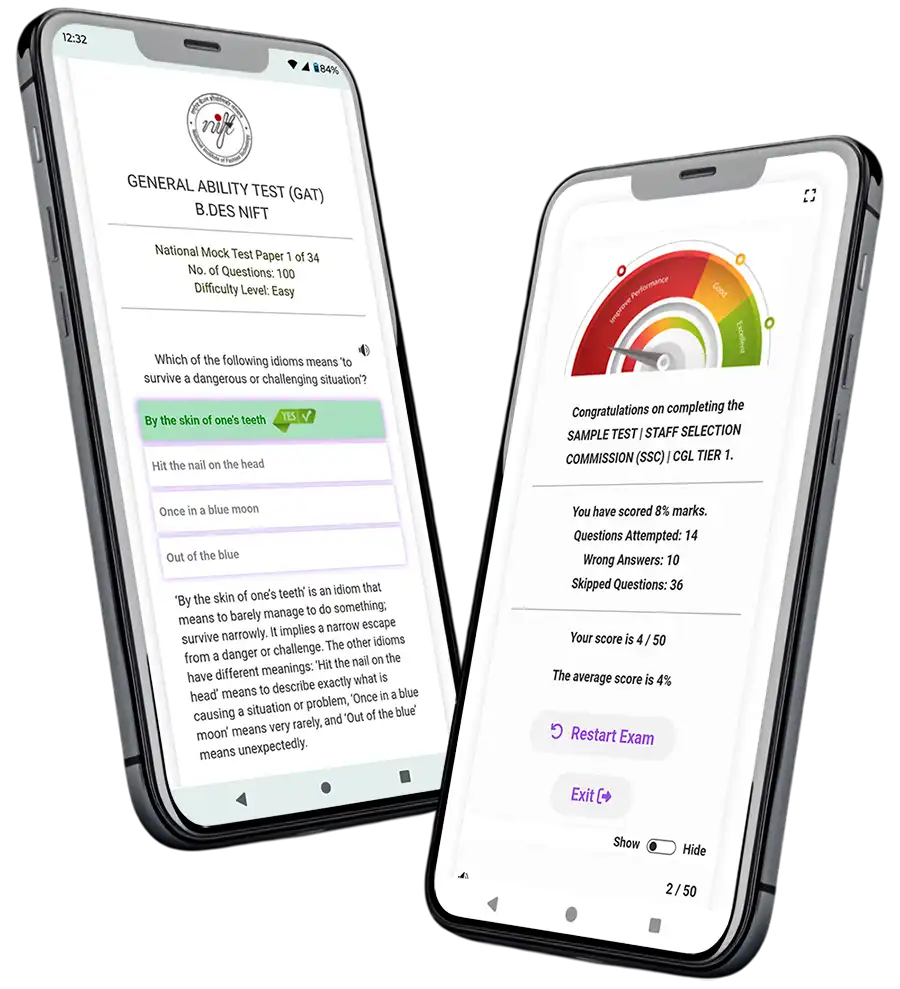
Downloading the admit card is only half the battle; the real challenge lies in cracking the competitive cutoff. The SSC GD Constable exam tests your proficiency in General Intelligence, General Knowledge, Elementary Mathematics, and English/Hindi. At myentrance.in, we specialize in providing high-quality study materials and mock tests that mirror the latest pattern of the exam.
Our platform offers dedicated resources for various competitive exams, including SSC, Kerala PSC, NID DAT, and NIFT GAT. By practicing with our simulated tests, you can improve your speed and accuracy, which are vital for a time-bound CBT. We focus on providing detailed explanations for each question, helping you understand the underlying concepts and avoid common pitfalls.
Why Choose myentrance.in Mock Tests?
- Real-time Interface: Experience the same digital environment as the actual SSC exam.
- Updated Syllabus: Our tests are designed based on the current syllabus and latest trends.
- Performance Analytics: Identify your weak areas and track your progress over time.
- Expert Guidance: Access tips and tricks from experienced mentors who understand the SSC selection process.
Frequently Asked Questions (FAQ)
What should I do if I forget my SSC registration password?
You can reset your password by clicking on the ‘Forgot Password’ link on the SSC official portal. You will need to enter your registered email ID or mobile number to receive an OTP and set a new password.
The website is not loading. How can I download my admit card?
During peak hours, regional websites might face heavy traffic. Try accessing the site late at night or early in the morning. Clearing your browser cache or switching to a different browser can also help.
Can I change my exam center after the admit card is released?
No, the SSC does not entertain requests for changing the exam center, date, or shift once the admit card has been issued. The allotment is final as per the administrative planning.
Is a soft copy of the admit card allowed at the exam center?
No, candidates must carry a physical, printed copy of the hall ticket. Digital versions on mobile phones or tablets are strictly prohibited inside the examination premises.
What if my date of birth is incorrect on the admit card?
If there is any error in your personal details, you must contact the respective Regional SSC Office immediately through their helpdesk email or contact number provided on their website for a rectification or an official undertaking.
Need Help with Your Preparation?
Join thousands of successful candidates! Whether you need the latest mock tests for SSC GD, Kerala PSC, or design entrance exams like NID and NIFT, our experts are here to guide you every step of the way. Get free counseling and access to premium study material today.
💬 Chat with our Experts on WhatsApp (+91 9526806124)