
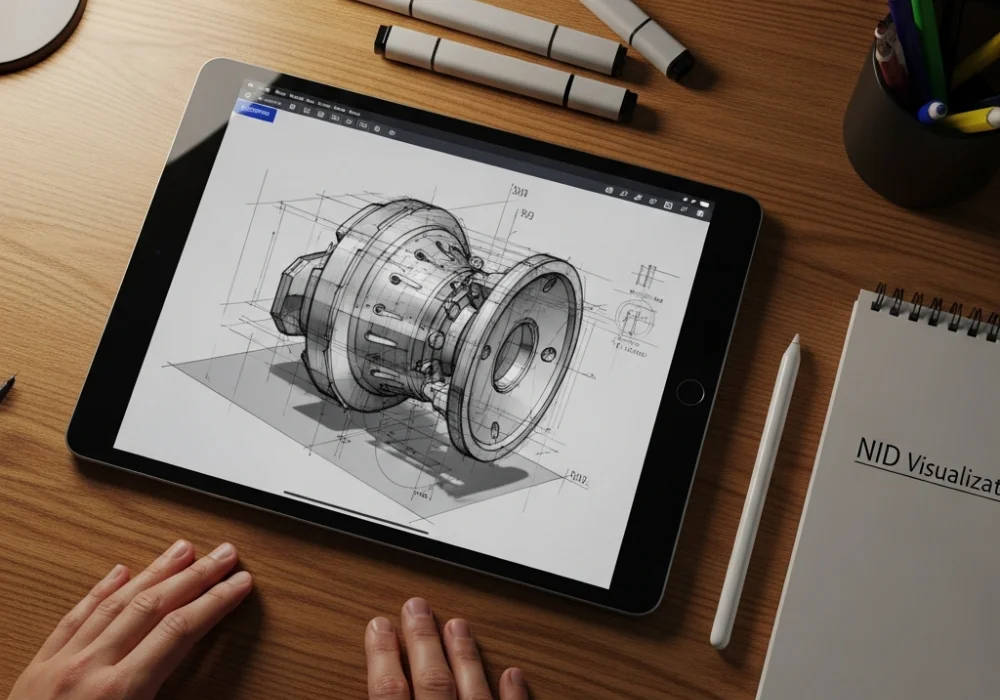
Mastering the Visualization Section of NID DAT
The National Institute of Design (NID) Design Aptitude Test (DAT) is widely regarded as one of the most challenging creative entrance exams. Among its various segments, the Visualization Section stands out as a true test of a candidate’s ability to conceptualize, iterate, and render complex ideas. In the current landscape of design education, leveraging digital sketching techniques is no longer just an option but a strategic advantage. While the final exam is often conducted on paper, practicing with digital tools allows students to build a deeper understanding of form, light, and perspective more efficiently. This guide explores five transformative digital sketching techniques that will help you ace the visualization section of the upcoming exams.
The Importance of Visualization in Design Entrance Exams
Visualization involves more than just drawing; it is the process of mentally constructing a three-dimensional object or scene and translating it onto a two-dimensional surface. The latest pattern of NID DAT focuses heavily on your ability to manipulate objects in space, understand light-shadow relationships, and represent textures accurately. By utilizing digital platforms for practice, you can experiment with these elements without the fear of making irreversible mistakes, thereby accelerating your learning curve. At myentrance.in, we emphasize the use of modern tools alongside traditional practice through our comprehensive mock tests to ensure students are prepared for any challenge.
1. Master Non-Destructive Layering
One of the greatest advantages of digital sketching is the use of layers. For NID DAT preparation, learning to use layers effectively can help you understand the structural anatomy of an object. Start by creating a base layer for your ‘ghost lines’ or rough construction. Use a second layer for the refined contours and a third for shading. This technique allows you to toggle visibility, helping you analyze if your proportions are correct before committing to the final render. In the actual exam, this mental habit of ‘thinking in layers’ helps you structure your pencil sketches more logically from light to dark.
2. Utilize Dynamic Brush Pressure for Line Weight
Line weight is critical in the visualization section to depict depth and focus. In digital sketching, you can set your stylus to respond to pressure, creating varied line widths. Practice drawing ‘form-following lines’ that are thicker in the foreground and thinner as they recede into the distance. This technique creates an immediate sense of 3D space. Understanding how line weight communicates volume will make your hand-drawn sketches in the NID DAT appear more professional and dynamic. Consistency in line quality is a key metric evaluated by examiners, and digital practice provides the perfect sandbox to hone this skill.
3. Leverage Digital Perspective Grids
Perspective is often the area where most students lose marks. Digital tools offer perspective guides (one-point, two-point, and three-point) that act as a visual scaffold. By practicing with these grids, you train your eye to recognize vanishing points and horizon lines instinctively. When you transition to the paper-based mock tests on myentrance.in, you will find that your ability to freehand complex perspectives has improved significantly because you have internalised the mathematical logic of the grid. Visualization often requires drawing objects from unusual angles, and mastering grids is the fastest way to achieve accuracy.
4. Value Study and Light Mapping
The visualization section frequently asks candidates to depict objects under specific lighting conditions. Digital sketching allows for rapid ‘value studies’ using a greyscale palette. By using a large soft brush, you can quickly map out where the primary light source hits the object and where the core shadows fall. This technique, often called ‘blocking’, helps you see the object as a series of planes rather than just outlines. Table 1 below compares how digital and traditional methods handle these visualization components.
| Feature | Digital Sketching Practice | Traditional Sketching (Exam) |
|---|---|---|
| Error Correction | Instant undo and layer deletion. | Careful erasing to avoid paper damage. |
| Speed | Rapid iteration with copy-paste and transform. | Requires manual redrawing for variations. |
| Perspective | Automated grids for perfect accuracy. | Manual construction of vanishing points. |
| Value Range | Infinite shades of grey available instantly. | Limited by pencil grades and pressure. |
5. Iterative Thumbnailing and Rapid Prototyping
NID DAT often tests your ability to generate multiple solutions for a single problem. Digital sketching enables ‘rapid prototyping’ where you can create dozens of small thumbnails in minutes. Use the ‘lasso tool’ to move elements around or the ‘liquify tool’ to adjust shapes. This encourages a fluid creative process where you focus on the idea rather than the perfection of the stroke. The more iterations you can produce during your practice sessions on myentrance.in, the more creative your final solution will be during the actual examination.
Enhance Your Prep with myentrance.in Mock Tests
While digital techniques provide the foundation, success in NID DAT requires consistent practice under timed conditions. myentrance.in offers a wide array of mock tests specifically designed for NID DAT, NIFT GAT, and other design entrance exams. Our tests reflect the latest pattern and provide detailed feedback on your visualization skills. Combining these digital techniques with our expertly curated study material is the best way to ensure you stay ahead of the competition.
Frequently Asked Questions (FAQ)
Is digital sketching allowed in the NID DAT exam?
Currently, the NID DAT Prelims exam is primarily paper-based. However, the Studio Test (Mains) may sometimes involve different mediums. Practicing digitally is recommended to build conceptual clarity and speed, which are essential for the paper-based test.
How can digital sketching improve my hand-drawing skills?
Digital sketching allows for faster repetition. By drawing a perspective grid or a complex shape 50 times digitally without the cleanup time of paper, you build muscle memory and spatial awareness that directly translates to better hand-drawing.
What are the best free tools for digital sketching practice?
Apps like Autodesk Sketchbook, Krita, and Ibis Paint X are excellent free resources for students to begin practicing digital visualization techniques on tablets or even smartphones.
Which section of NID DAT is most difficult?
Many students find the Visualization and Creative Ability section most challenging because it requires a mix of technical drawing skills and original thinking. Using mock tests from myentrance.in can help you master this section through targeted practice.
Should I focus on color or greyscale during practice?
For the NID DAT visualization section, it is best to focus on greyscale value studies first. Understanding light and form in black and white is the foundation of design; color can be added once the form is perfectly visualized.